
Effective Tips for Setting Boundaries with Notifications
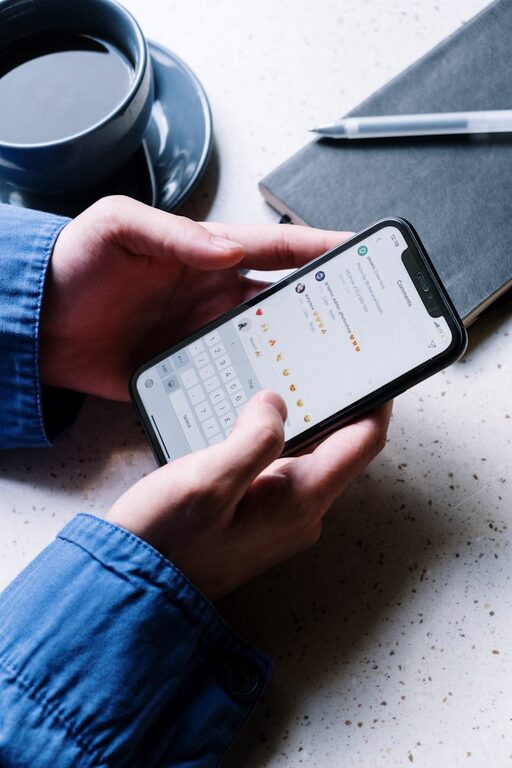
In today’s digital world, notifications are everywhere—from smartphones and computers to smartwatches and apps. While these alerts can be helpful reminders, they often disrupt our focus and increase stress. Setting clear boundaries with notifications is key to maintaining productivity, reducing distractions, and improving overall wellbeing. In this post, we’ll explore practical tips for managing your notifications effectively without missing what really matters.
Why Setting Boundaries with Notifications Matters
Notifications are designed to grab your attention. They can be useful for urgent messages, calendar reminders, or breaking news. However, constant interruptions can decrease concentration, increase anxiety, and make it harder to complete tasks efficiently.
By managing how and when you receive notifications, you regain control over your time and energy. Clear boundaries help you prioritize, reduce digital overload, and create moments of uninterrupted focus or relaxation.
Tips for Setting Boundaries with Notifications
1. Audit Your Notifications
Start by reviewing all the apps and devices that send you alerts. Ask yourself:
– Which notifications are truly important?
– Which alerts can be turned off or minimized?
– Are there apps sending repetitive or irrelevant notifications?
Consider turning off notifications for less essential apps like games, shopping platforms, or social media unless you expect something specific.
2. Customize Notification Settings
Most devices and apps allow you to customize notification preferences. Explore the settings to:
– Choose notification sounds or vibrations you can easily distinguish.
– Limit notifications to certain hours (e.g., “Do Not Disturb” mode during work or nighttime).
– Set priority notifications only for calls, messages, or specific apps.
Customizing notifications helps reduce unwanted interruptions and ensures only vital alerts get your attention.
3. Schedule “Notification-Free” Time Blocks
Dedicate parts of your day where notifications are silenced or ignored. This can be during:
– Focused work sessions
– Family time or social events
– Relaxation periods like exercise or reading
Using features like “Do Not Disturb” or airplane mode during these blocks fosters deeper focus and stronger personal connections.
4. Use Technology Wisely: Group and Summary Notifications
Some platforms offer grouped or summarized notifications which bundle alerts together rather than sending them individually. This reduces “notification fatigue” by allowing you to check alerts at set times.
Examples include:
– Summary emails or app digests
– Notification centers with grouped messages
– Aggregated chat notifications
Check your apps to see if grouping options exist and activate them where possible.
5. Establish Clear Rules for Work and Personal Notifications
If you use the same device for work and personal life, it helps to separate notifications:
– Use work profiles or apps that allow silencing personal alerts during business hours.
– Conversely, mute work notifications after hours.
– Inform colleagues or friends about your availability to reduce pressure for immediate responses.
Clear rules set expectations and help you maintain a better balance.
6. Regularly Review and Adjust Settings
Notification needs can change over time, so it’s important to revisit your settings periodically. You might find some alerts have become unnecessary or discover new features to help manage notifications better.
Schedule a monthly or quarterly review to keep your system effective and aligned with your priorities.
7. Consider Physical Changes to Reduce Interruptions
Sometimes, setting boundaries isn’t just about software. Try these ideas:
– Keep devices out of immediate reach when focus is needed.
– Use a dedicated “work phone” or “personal phone” if possible.
– Turn off sounds and rely on visual indicators during meetings or quiet times.
Physical adjustments complement digital settings for more mindful notification management.
Bonus: Healthy Habits to Support Notification Boundaries
Practice Mindfulness
When a notification arrives, pause briefly before responding. This helps you decide if it’s urgent or can wait, reducing impulsive reactions and constant distraction.
Limit Multitasking
Avoid switching between multiple apps due to alerts. Focus on completing one task before moving to another, which improves efficiency and lowers stress.
Communicate Your Preferences
Let people around you know when and how you’ll respond to messages. This sets clear expectations and reduces pressure to reply instantly.
Conclusion
Notifications are part of our connected lives, but they shouldn’t control us. By auditing alerts, customizing settings, scheduling notification-free times, and adopting supportive habits, you can set healthy boundaries that protect your attention and wellbeing.
Start with small steps today—your productivity and peace of mind will thank you!